Free online voice to text tools are fine for a quick note. You open a web page, allow the microphone and talk, and the words appear as you speak. With a recording of a meeting, a lecture or an interview they start to fall short. Voxia is built for that second case: it takes a recording of up to four hours and turns it into text with speaker labels, sections and an AI summary.
Two kinds of free online speech to text
Live dictation in a web page. You speak and the page types. These tools rely on the speech recognition built into the browser, so they often need a specific browser and a steady internet connection. They suit short notes, emails and drafts. If the tab closes or the connection drops, any text you have not saved can be lost.
File upload with free minutes. You upload an audio file and get text back. The free tier usually limits the minutes per month, the length of each file or the number of files per day. Speaker labels, summaries and extra export formats are often kept for paid plans.
Both are worth trying before you pay for anything. Read the limits on the page first, so a one-hour recording does not stop halfway.
Where free online tools fall short
- Length. A two-hour seminar is often over the free limit, so you end up splitting the file or paying per minute.
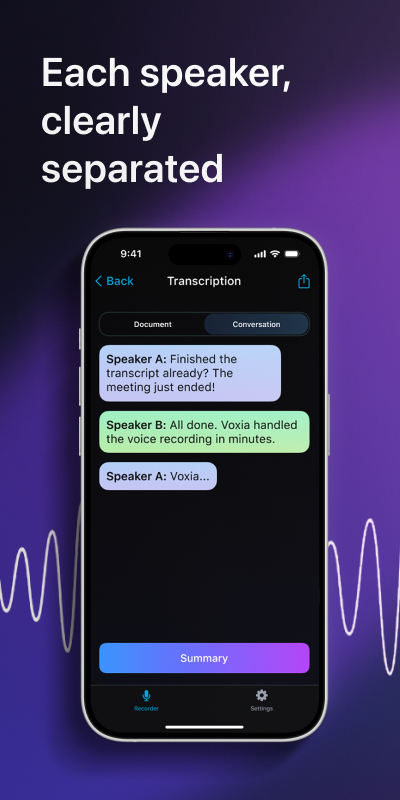
- Who said what. Plain dictation gives you a single block of text. In a conversation you then have to work out which line belongs to which person.
- Structure. A wall of text from an hour-long meeting is hard to read. You still have to find the decisions and main points yourself.
- Privacy. You are uploading a recording of other people to a website. Check what the service keeps and for how long.
How Voxia handles a long recording
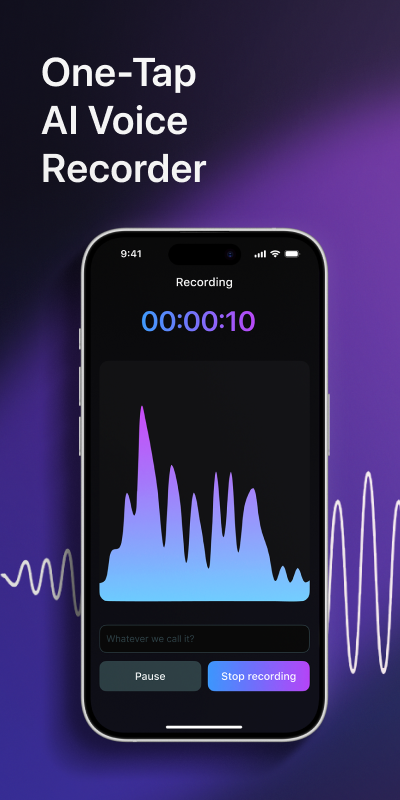
- Open Voxia on your iPhone and tap the record button. Place the phone close to the people speaking.
- Record the meeting, lecture or interview. One recording can last up to four hours.
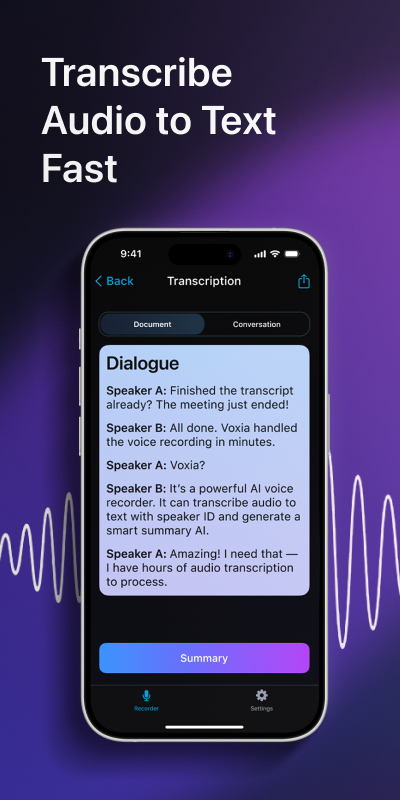
- Stop the recording. Voxia runs AI transcription and labels each speaker in the text.
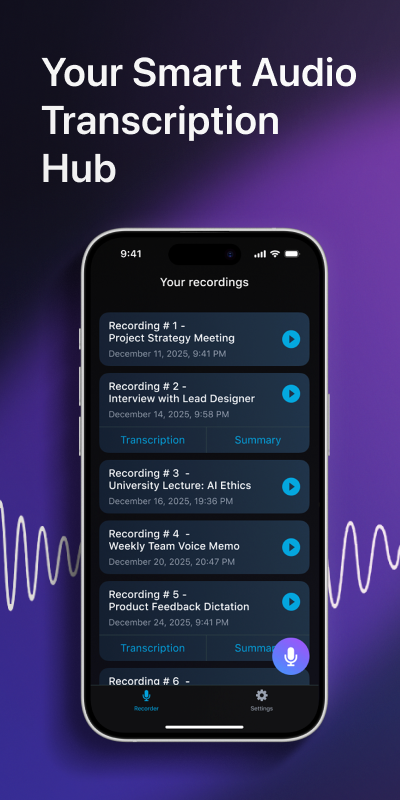
- Read the result. The conversation is split into sections, with an AI summary of the main points at the top.
- Export the text to Word or PDF and send the file to your team.
This removes the steps that free tools usually leave to you: cutting the audio into pieces, marking speakers by hand and writing the summary yourself.
Which one to pick
If you need a few sentences typed by voice, a free online voice to text page or the dictation on your keyboard will do the job. If you regularly record conversations that last longer than a few minutes and need readable notes afterwards, a dedicated app saves the cleanup work. Questions about the app go to the support page, and the privacy policy explains how recordings are handled. More about Voxia is on the home page.
Tips for better speech to text with any tool
- Speak clearly and at a normal pace. Rushed speech produces more errors than an accent does.
- Cut background noise such as fans, music and traffic.
- Keep the microphone close to whoever is talking.
- In a group, ask people to speak one at a time.
- Check names, numbers and dates before you send the text to anyone.
Is free online voice to text accurate enough?
For clear speech from one person it often is. Accuracy drops with background noise, poor microphones and people talking over each other.
When should I use Voxia instead of an online tool?
When you record meetings, lectures or interviews on your iPhone and want text with speaker labels, structure and an AI summary, exported to Word or PDF.
How long can a Voxia recording be?
Up to four hours in one recording.
Get the text, speakers and summary of your next recording in Voxia
Download on the App Store