People who look for a free AI note taker usually have a recording in hand and want readable notes without paying first. A free web tool can handle a short clip. With a long lecture or a long interview, its limits show up quickly.
Voxia is an iPhone app that turns recordings of meetings, lectures and interviews, up to 4 hours long, into text. It marks who spoke, splits the text into sections on its own and writes an AI summary. You can export the result to Word or PDF.
What free AI note takers do well, and where they stop
Free web note takers are fine for a quick job: paste some text or upload a short audio file and get a summary back. Many of them ask you to sign up before you can keep the result, cap how much you can upload, or allow only a few files a week. Some work only from text and PDFs and never listen to audio at all.
Those limits matter when the recording is long. A full lecture or a team meeting can easily run past an hour, and an hour of speech turns into a lot of text. If the tool cuts the file short or drops the speaker names, you end up replaying the audio to fill the gaps, which is exactly the work you wanted to skip.
Before you pick a tool, check three things:
- How long a recording it accepts in one go.
- Whether it tells speakers apart or gives you one block of text.
- Whether you can take the notes out as a file you can edit or share.
We put free online tools next to an app for long recordings in this comparison. Whatever you choose, check the current price and terms on the app's own page before you install it.
How Voxia handles a long recording
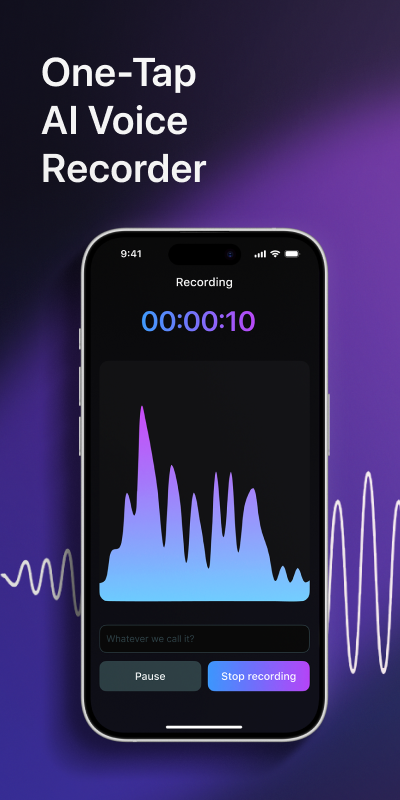
Record with one tap
Open Voxia and start recording. A live waveform shows that sound is coming in. A single recording can run up to 4 hours.
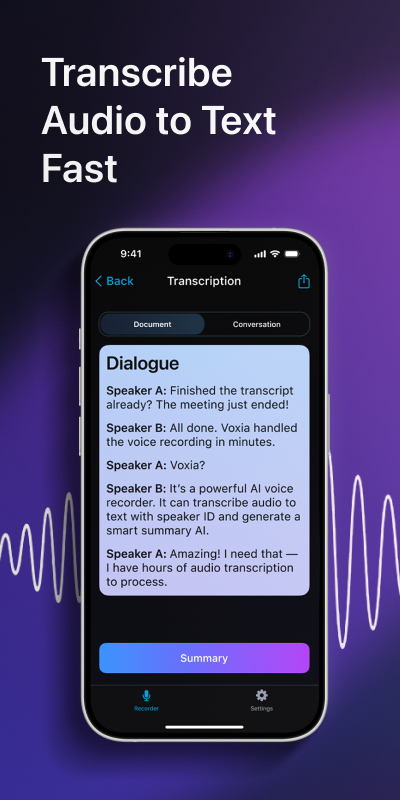
Get the text
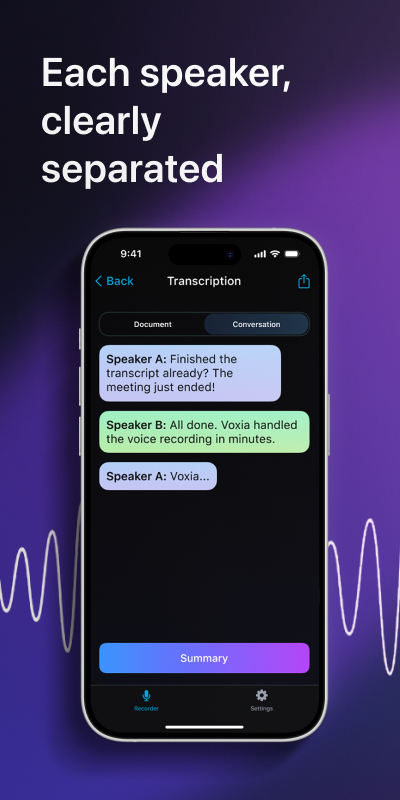
Voxia turns the speech into text with AI transcription and marks which speaker said each line.
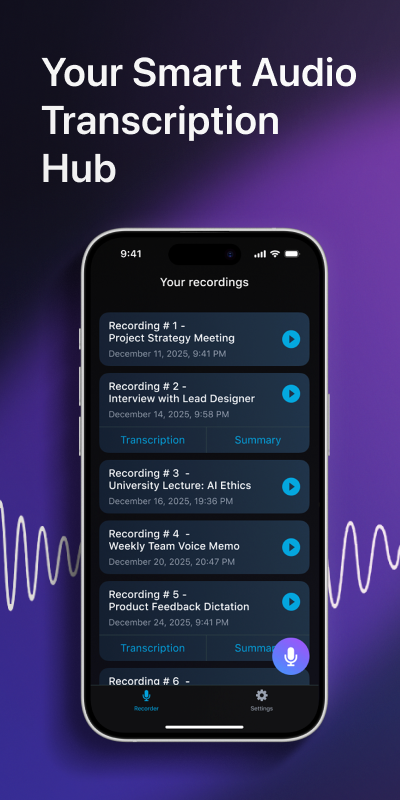
Read the structure and summary
The text is split into sections automatically, and an AI summary lists the main points so you can see them before reading everything.
Export to Word or PDF
Save the notes as a Word or PDF file to edit, print or send to people who were not in the room.
If your audio already sits on the phone, read how iPhone recordings become text.
What the notes look like
A raw recording is hard to skim. Here is an illustrative example of a meeting next to the kind of notes you get from it.
Raw recording
A long project meeting with several people talking over each other, a budget question that came up twice, and a deadline mentioned once near the end.
With Voxia
- Lena
- If we keep the current budget, the launch has to move.
- Sam
- Then let's move it. I can confirm a new date by Friday.
- Lena
- Agreed. The budget stays as it is.
Summary: The team agreed to move the launch, keep the current budget and confirm the new date by Friday.
Each line keeps its speaker, so you can find who promised what without scrolling through one long paragraph. There is more on this in our guide to notes for meetings, lectures and interviews.
Who it fits
- Students who record lectures and want text to study from instead of listening to the whole class again.
- People who run interviews and need every answer tied to the person who gave it.
- Teams that want a written record of a meeting they can export and pass around.
Free tool or app: a quick rule
If your recording lasts a few minutes and you only need the gist, a free web tool may be enough. If it runs for an hour or more, has several speakers, or you need a file to hand to someone else, an app made for long recordings saves you the cleanup afterwards.
How long can one recording be?
Up to 4 hours. That covers most lectures, interviews and meetings in a single file.
Does Voxia tell speakers apart?
Yes. The text marks each speaker, so the lines of a conversation stay attached to the person who said them.
Can I export my notes?
Yes. You can export them to Word or PDF and edit, print or share the file.
What kinds of recordings is it made for?
Meetings, lectures and interviews: recordings where several people talk and you need readable notes afterwards.
Where can I get help with the app?
Use the Support page on this site to reach us.
Record the next meeting or lecture and read the notes instead of listening to it again. Get Voxia for iPhone
Get readable notes from your next recording with Voxia
Download on the App Store